Managing customer interactions across multiple channels - email, phone, SMS, social media, and chat - can be overwhelming. Traditional CRMs often complicate this further with rigid workflows and extensive manual tasks. AI tools can support CRM tasks such as classifying, routing, or updating records, but each integration still needs clear data ownership, permissions, and review rules.
Here’s how three platforms compare:
Salesforce: Offers CRM and integration products; compare the editions and connections your team needs.
HubSpot: Offers CRM and AI products; check the available features, integrations, and data sources for your plan.
K3X: Supports custom objects and fields, AI-built data models and pipelines, email and calendar sync, and automatic deal-stage updates. See ways to reduce manual CRM data entry.
Quick Comparison
Platform | Best For | Setup Time | Pricing reference | Automation Logic | Maintenance |
|---|---|---|---|---|---|
Salesforce | Large enterprises | 9–15 weeks | Rigid workflows | High | |
HubSpot | SMBs and mid-market teams | Days to weeks | Template-based | Medium | |
K3X | Outcome-driven teams | Under 1 hour | Goal-based | Low |
The “Best For” recommendations, setup times, remaining automation labels, and maintenance ratings in this table are unverified and may not be comparable; do not treat them as current product facts. Check each provider’s linked pages for current pricing and feature availability.
Each platform handles automation and integrations differently. Compare the workflows your team needs, the data each system can access, and the setup your integrations require.
How to Integrate AI into Your CRM Strategy

How AI Changes Multi-Channel CRM Integration
Rule-based workflows can suit predictable tasks, but they need explicit paths for exceptions and handoffs. For a multi-channel integration, decide what should happen when a lead responds out of sequence or a record match is uncertain.
An outcome-based workflow starts with the result a team wants, while a rule-based workflow specifies the steps in advance. For a multi-channel CRM integration, document the goal, the actions the system may take, and the cases that must go to a person for review.
Tools such as make and Zapier can connect systems across channels. When AI is used to match records, define which identifiers count as unique and route shared or conflicting matches to a person for review rather than merging them automatically. For more on how AI CRMs prioritize sales workflows, see the related guide.
“The best CRM data is the data nobody had to type.” — Mykyta Samusiev, Co-founder and CEO, K3X
For follow-up automation, see K3X’s guide to CRM follow-up workflows and decide which actions should remain with a person.
Capability | Traditional Workflow CRMs | AI-Native CRMs (e.g., K3X) |
|---|---|---|
Logic structure | Fixed, linear sequences | Goal-oriented, outcome-based |
Setup Time | Weeks to months | Under one hour; self-managed |
Data deduplication | ~60% accuracy (rule-based) | 95%+ accuracy (AI/ML-based) |
Integration method | Requires middleware | Native AI execution; no middleware |
Exception handling | Breaks on unexpected inputs | Adapts to replies in real time |
The category descriptions and figures in this table are unverified generalizations and may not apply to a specific product or configuration. Test the workflows and match rules you plan to use. Next, we’ll look at each platform’s features and trade-offs.
1. Salesforce

Salesforce is a heavyweight in the enterprise CRM space, offering over 4,000 apps through its AppExchange and a three-tier API system that supports flexible integrations across marketing, sales, and customer support. For highly complex environments, MuleSoft takes care of heavy-duty orchestration, while Flow Builder provides simpler, no-code solutions for basic connections.
The implementation choices depend on the channels, data model, and level of orchestration a team needs. Salesforce offers options including MuleSoft for orchestration and Flow Builder for no-code connections; teams should map their requirements before choosing an approach.
Another sticking point is data quality. Integrations can carry duplicates, inconsistent formats, and missing fields into a CRM. Agree on field ownership and validation rules before syncing records so teams can identify conflicts and correct them.
Salesforce offers AI tools such as Agentforce. Confirm which features and connected apps are available for the account and workflow you are evaluating. For a broader comparison, see AI-native versus traditional CRMs, then compare data access, permissions, and review controls.
Salesforce’s pricing page lists current editions and billing details. Implementation effort depends on the configuration and integrations a team needs.
2. HubSpot
HubSpot’s available channel integrations vary by product and setup. Check whether the channels your team uses are supported; connecting a non-native channel may require custom app development and webhooks.
One area where HubSpot shines is in day-to-day maintenance. Breeze Intelligence automates contact record enrichment, identifies duplicates, and pulls data from various sources. Meanwhile, Conversation Intelligence transcribes calls and highlights action items. Confirm feature availability for the product and plan you use.
HubSpot also offers data tools. Its Data Hub can consolidate external data from platforms such as Snowflake. Before using predictive lead scoring, check the data requirements for the specific feature and account.
Before enabling CRM AI features, check whether the underlying records are complete enough for the task and set rules for handling conflicting data. For another perspective on lead scoring, see our guide to AI-powered social selling and lead scoring.
To assess HubSpot for a multi-channel workflow, compare its AI features and available integrations with your data, permission, and review requirements.
Check HubSpot’s sales pricing page for current plans, prices, and applicable terms.
For CRM migration, compare HubSpot’s Smart Transfer guide with a provider’s documented scope. Krolog is another reference to review; check permissions, field mapping, and validation before choosing an approach.
Next, we’ll look at how K3X utilizes outcome-driven AI to simplify CRM integration even further.
3. K3X
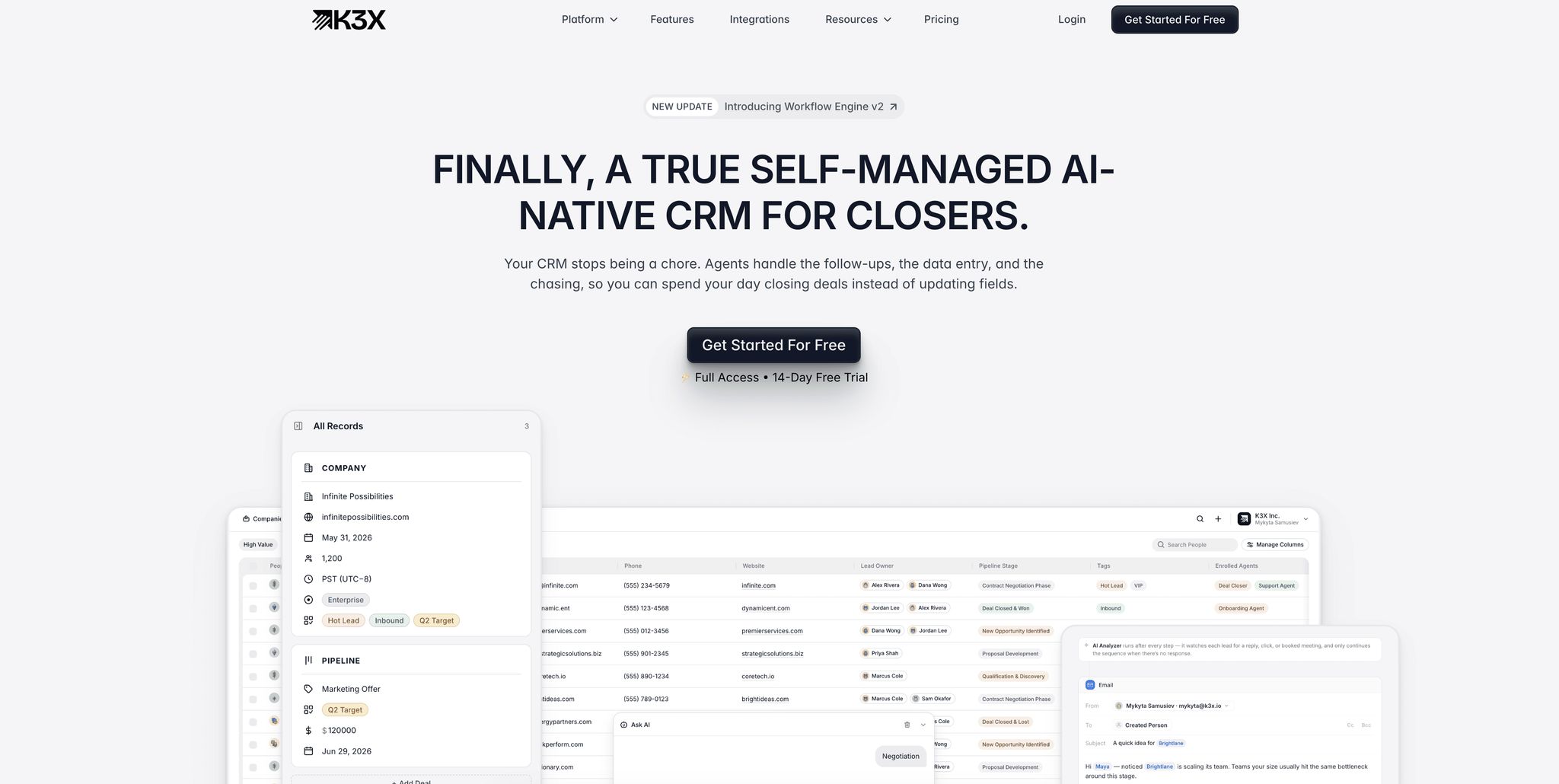
K3X offers custom objects and fields, AI-built data models and pipelines, email and calendar sync, automatic deal-stage updates, and AI Commands for searching and updating records. K3X also connects with ChatGPT. Teams comparing integration options can also consider workflow tools such as Zapier and Make.
K3X’s email and calendar sync and automatic deal-stage updates can keep selected CRM fields current. AI Commands let users search and update records. Define which fields the system may change and which updates need a person’s review.
For follow-up automation, see K3X’s guide to CRM follow-up workflows and decide which actions should remain with a person.
K3X supports custom objects and fields, AI-built data models and pipelines, email and calendar sync, automatic deal-stage updates, AI Commands, AI sales agents, and built-in SMS and phone calls. Check K3X’s pricing page for current plan details, credit limits, and trial terms.
Compare K3X’s available features and integrations with the data model and review controls your team needs.
Pros and Cons
Review K3X’s integrations alongside the channels and controls your workflow requires.
For a closer look at the differences, read AI-native CRM vs. traditional integration strategies. The table compares setup considerations, available features, and pricing.
Factor | K3X | ||
|---|---|---|---|
Best For | Enterprises (200+ employees) | SMB/mid-market teams (<200) | Revenue-focused, outcome-driven teams |
Setup Time | 9–15 weeks | Days to weeks | Under 1 hour |
Automation Logic | Rigid "if-then" sequences | Template-based agents | Goal-based prompts |
Customization | High (requires Apex/MuleSoft) | Low to medium | High (via natural language) |
Maintenance | High - manual adjustments | Medium - managing credits | Low - self-learning and adaptive |
Pricing reference | |||
Primary Weakness | High failure rate; costly implementation | Limited to internal data context | Smaller ecosystem; newer platform |
The employee-size cutoffs, setup times, maintenance labels, and product comparisons in this table are unverified and not universal; do not treat them as current or like-for-like facts. Check the linked provider pages for current pricing and feature details.
Salesforce Einstein may fit organizations that need extensive customization and have the capacity to manage it. Smaller teams should compare the features they need with the configuration and administration each option requires.
HubSpot Breeze AI may suit growing teams looking for CRM features with AI tools. Check which data sources, integrations, and features are available in the plan you are considering.
K3X may suit teams that want custom data models, AI-built pipelines, and email and calendar sync. See K3X’s pricing page for current plan details and credit limits. Teams can compare its AI Commands and goal-driven automation with the controls and integrations they need.
“Nobody should spend Friday updating the CRM.” — Mykyta Samusiev, Co-founder and CEO, K3X
Conclusion
The comparison above makes it clear: every CRM has its strengths, and the right choice depends on your team’s specific needs and priorities.
Salesforce Einstein may fit enterprises that need extensive customization and have the resources to manage it.
HubSpot Breeze AI may suit growing teams; check that its available integrations and features match your requirements.
K3X offers custom data models, AI-built pipelines, email and calendar sync, and automatic deal-stage updates. Compare those features and its plan limits with the workflows your team needs.
Evaluate each CRM's features against your workflows, data permissions, and integration needs. To discuss K3X's fit, contact K3X. Review the guide to AI-native CRM before choosing a platform.
FAQs
What does “outcome-based” CRM automation mean?
Outcome-based CRM automation starts with the result a team wants and defines actions toward that goal; rule-based automation follows steps set in advance. For either approach, set clear limits and send uncertain or sensitive cases to a person for review.
K3X offers AI Commands for searching and updating records, alongside AI-built data models and pipelines. Teams should define which changes the system can make and which need a person’s review.
How should AI handle possible duplicate contacts?
Use a verified identifier that is confirmed to be unique to one contact before linking records. If an identifier is shared or its uniqueness is unclear, require another verified identifier or send the records for human review. Do not let AI merge a contact based only on a likely match.
How quickly can my team go live with K3X?
K3X setup time depends on the channels, data fields, permissions, and review rules your team needs. Test one workflow with a small set of records before expanding it. For current plan and trial details, see K3X’s pricing page.